MyEchocardiographySTART SIMULATION

PRACTICE IN THE SIMULATOR

How to perform this examination

  1. Run Echocardiography Online Simulator
  1. From the List <<Patients>> Choose Patient 4 (User can Choose other patients with mitral regurgitation as well).
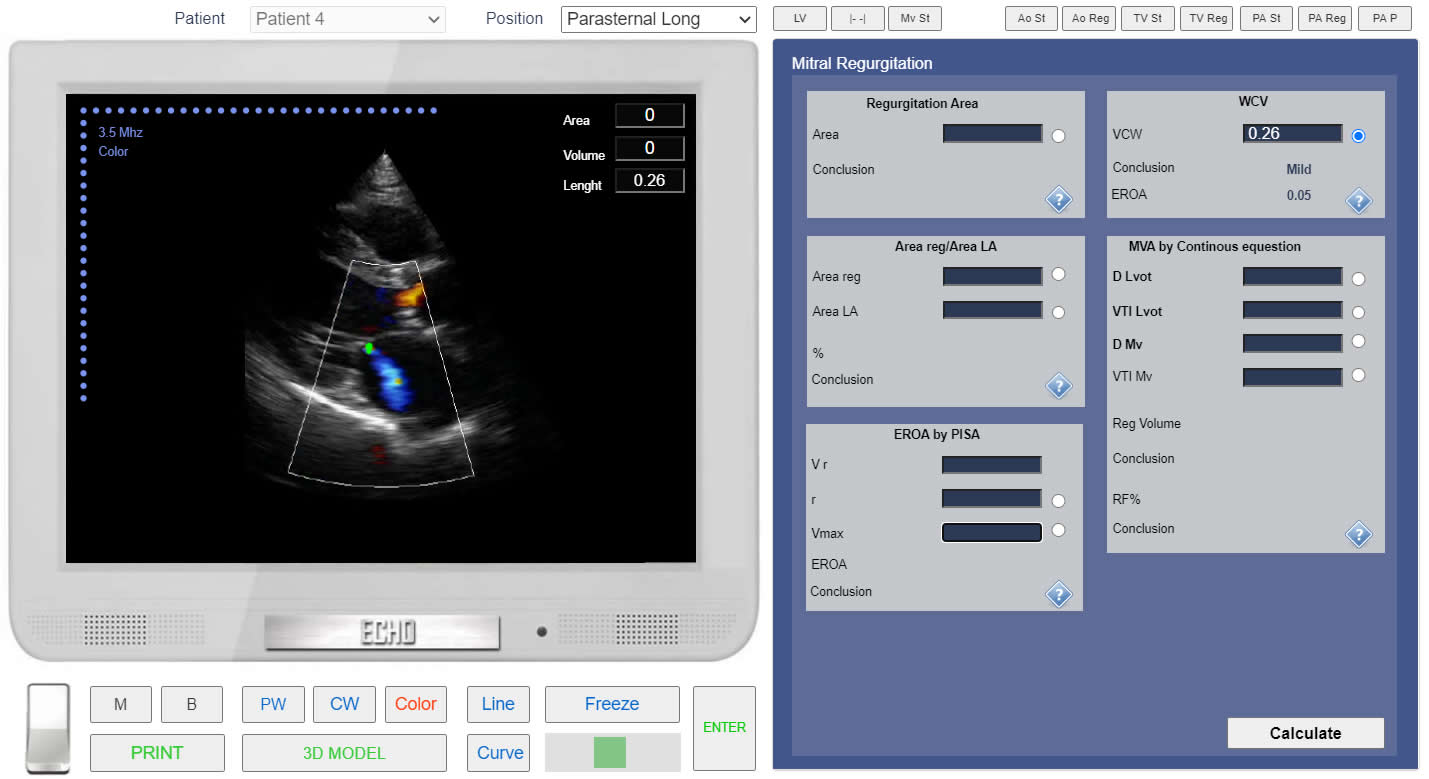
  2. From the List <<Positions>> Choose Parasternal Long (Left Parasternal View, Long axis of LV). or find the same position with 3D Transducer.
  3. Clik the button <<Color>> to run Color Doppler.
  4. Click the button <<Freeze>> to freeze image. Using Slider find the frame of maximum regurgitation size.
  5. Click Button <<Calculations>> Click Tab <<MV Reg >> Click Radio Button <<VCW>>
  6. Click the button <<Line>> Measure linear size of VCW.
  7. Click the button <<Enter>>
Click image to enlarge

Left Parasternal View, Long axis of LV, Mitral regurgitation. VCW measurement.

×